Stingy Scanner for Plesk

Watches the reputation of every website on your Plesk server, and helps a site win its good name back after an attack.

A free extension for Plesk Obsidian, made by Digizaal in Amsterdam, where we use it every day on our own servers with 600+ websites.

Download Documentation Support

What it does, and what it doesn’t

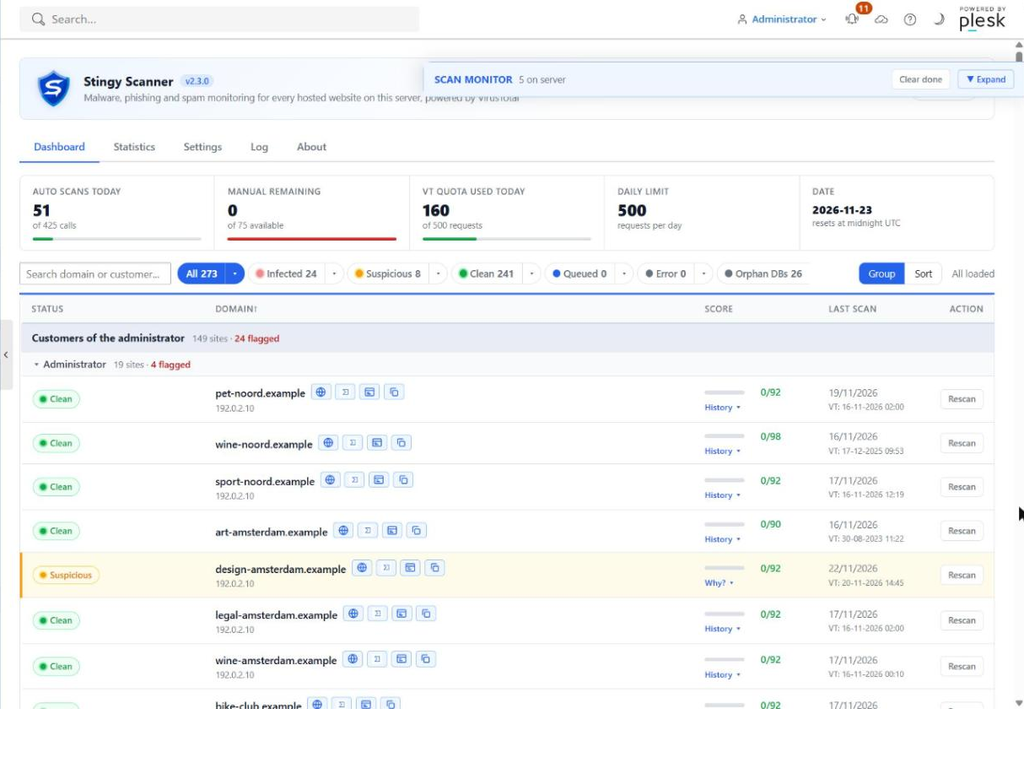
Stingy Scanner does not change anything on your server, and it does not scan your files by default. It looks at your websites from the outside: it asks external sources such as VirusTotal, Google Safe Browsing and AVG/Avast whether they have your sites listed for malware, phishing or spam.

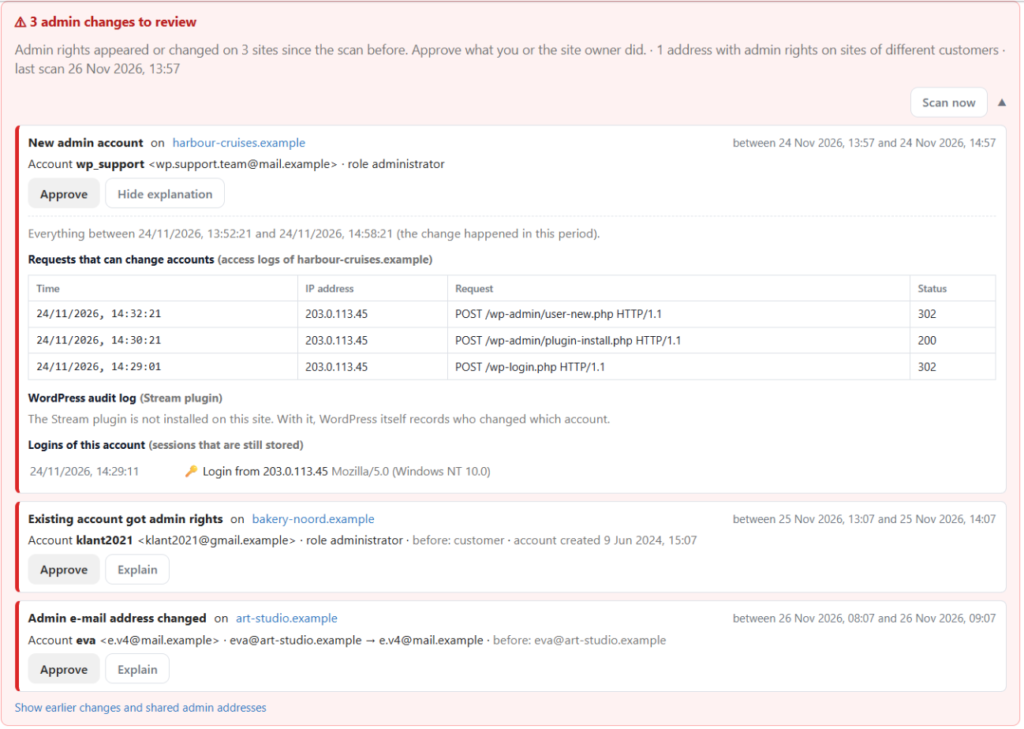
It also finds fake admin accounts in your websites. A rogue administrator is usually how a malware infection got in, and how it comes back after cleaning. Stingy Scanner reports every new admin, every account that suddenly got admin rights and every changed admin e-mail address, with the requests from the access log that explain them.

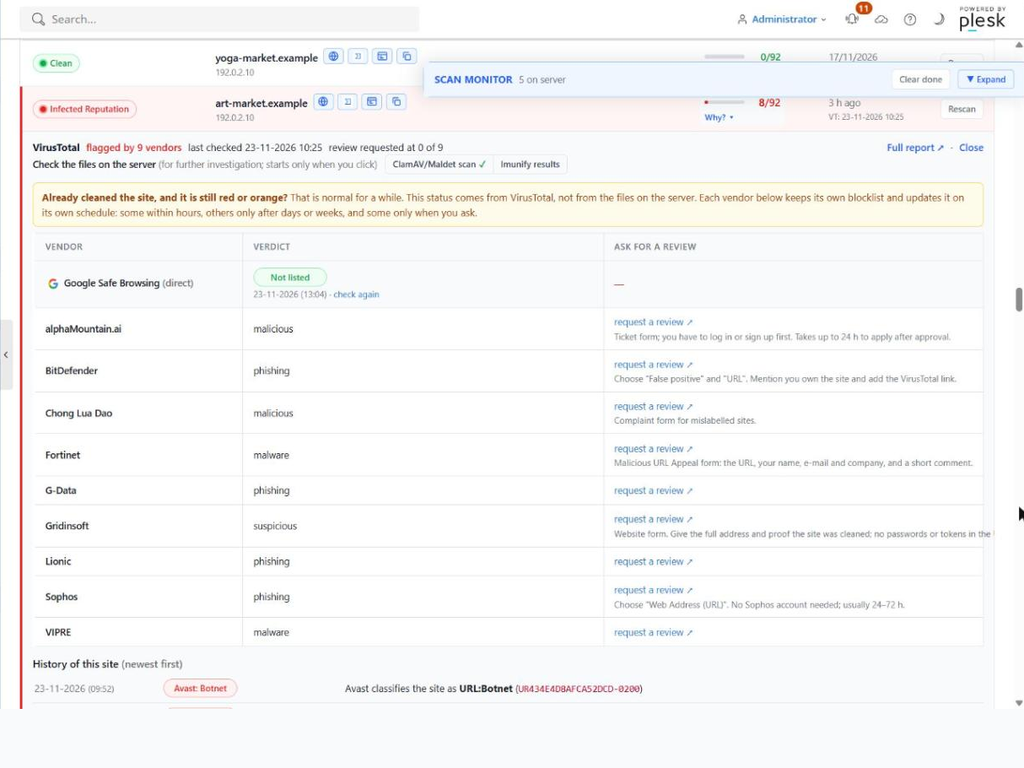
It is not a cleaner. It checks the reputation of your sites and helps you restore it after you have cleaned them: it shows which vendors still flag a site, why, and where to ask each of them for a review, and follows the site until every vendor has removed it.

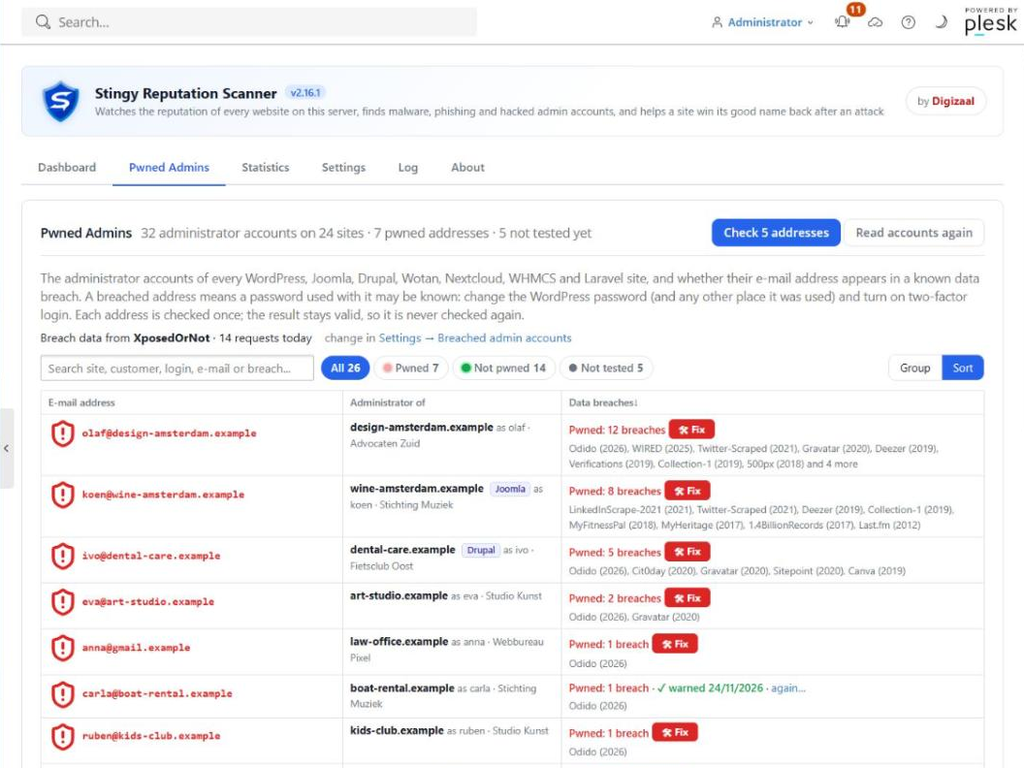
Optional extras, all off until you switch them on: file scans with ClamAV, Maldet or Imunify, and a check whether administrator e-mail addresses appear in known data breaches (Pwned Admins).

Every hosted site with its reputation, at a glance.

Which vendors flag a site, and where to ask for a review.

Admin changes: a new admin account, explained from the access log.

Pwned Admins (optional): administrator addresses in known data breaches.

Install

Requirements: Plesk Obsidian 18.0 or newer on Linux, and a free VirusTotal API key.

Log in to your server as root and run:

plesk bin extension --upgrade-url https://github.com/dzaal/StingyScan-for-Plesk/releases/latest/download/stingyscan.zip

The same command updates an existing installation. Or download the zip from the latest release and upload it under Extensions → My Extensions → Upload Extension.

Stingy Scanner is free to use on every server you manage, also for websites you host for others. The source code is public; see the license.

Support

  • Read the documentation first: the README covers installation, every setting and troubleshooting.
  • Found a bug or have an idea? Open an issue on GitHub. Please mention your Stingy Scanner version, your Plesk version and what you saw.
  • Anything else, or a question you prefer not to ask in public: e-mail info@digizaal.nl.

Support is given on a best-effort basis by the people who make it. Changes per version are in the changelog.

Privacy

Your data stays on your server. The extension only contacts the services you switch on, and sends nothing to Digizaal unless you switch on the optional installation statistics. Read the privacy policy.

Stingy Scanner is an independent product by Digizaal. It is not affiliated with, endorsed or sponsored by VirusTotal, Google, Gen Digital (AVG, Avast) or WebPros (Plesk). All trademarks belong to their owners.